
2.7 KiB
World Clock - A JavaFX World Clock
Welcome to the World Clock application! This project is for a series of blog entries at https://foojay.io
- https://foojay.io/today/creating-a-javafx-world-clock-from-scratch-part-1
- https://foojay.io/today/creating-a-javafx-world-clock-from-scratch-part-2
- https://foojay.io/today/creating-a-javafx-world-clock-from-scratch-part-3
- https://foojay.io/today/creating-a-javafx-world-clock-from-scratch-part-4
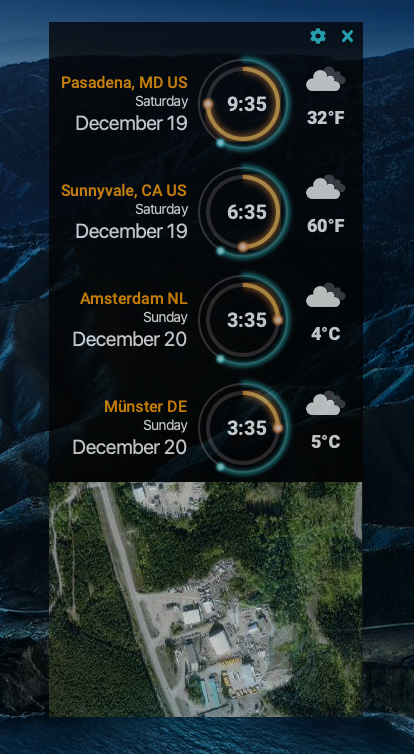
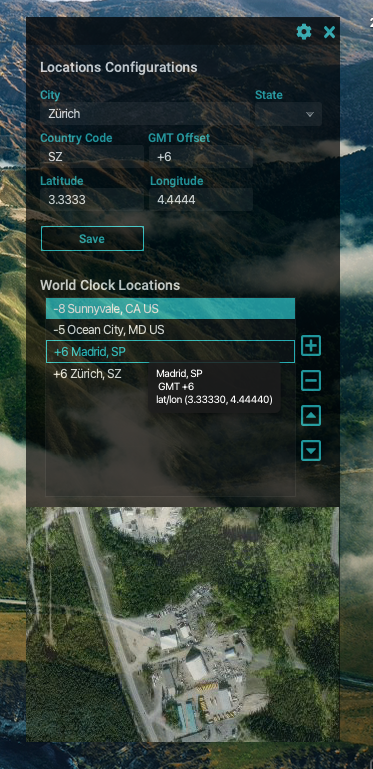
This is a standard Maven JavaFX modular (JPMS) application.
Requirements:
- Maven 3.6.3 or greater
- Java 16+
- Bach (https://github.com/sormuras/bach) (Optional)
It's recommended if you use a JDK distro that already contains the OpenJFX libraries such as Azul's Zulu builds with JavaFX. If not, then you must uncomment the dependencies needed in the pom.xml file.
Build project using Bach
$ .bach/bin/bach build
To simplify add to your .bashrc or .bash_profile as the following:
export PATH=$PATH:.bach/bin
Open a new terminal session to be able to run Bach build tool.
On Windows you'll add to your environment variables as the following:
set PATH=%PATH%;.bach\bin
Run World Clock as a module
$ java --add-modules worldclock --module-path .bach/workspace/modules/:.bach/external-modules/ com.carlfx.worldclock.Launcher
Run World Clock using a custom image
# Linux/MacOS
$ .bach/workspace/image/bin/worldclock
# Windows
$ .bach\workspace\image\bin\worldclock
Clean project using Maven
$ mvn clean
Run World Clock using Maven plugin
This will compile and build the JavaFX project locally using the Maven plugin.
$ mvn javafx:run
Create a custom image (Java runtime w/world clock executable)
$ mvn javafx:jlink
Create a MacOS package to run allow user to install onto desktop
The following assumes the prior step completed successfully. The runtime artifacts reside in the target/worldclock directory.
$ jpackage --verbose \
      --name "JFX World Clock" \
      --description "JavaFX World Clock Application" \
      --vendor "Carl Dea" \
      --runtime-image target/worldclock/ \
      --module worldclock/com.carlfx.worldclock.Launcher \
      --dest release
Outstanding issues
- The map doesn't load properly when building and running the app as a built image.
- Map uses MapBox and Leaflet.js an access_token needs to be created. See https://www.mapbox.com/studio/account/tokens/ for details.
- Weather is still under construction. This may need an access_token too.